Exam authoring for educators

PrimeExam is a Windows application for creating and managing question banks, composing exams, and publishing multiple exam forms in HTML and PDF formats.

PrimeExam is designed to help educators maintain reusable collections of questions and efficiently assemble exams while retaining control over question content, organization, layout, and presentation.
PrimeExam Help

PrimeExam includes detailed help covering question banks, question editing, exam creation, mathematical notation, layouts, images, topics, resources, backup and restore, and other features.

Help is available in multiple languages. Additional translations may be added over time.

PrimeExam in action

Explore some of PrimeExam's major tools and workflows. Click any screenshot to open the full-size image.

Getting started and question banks

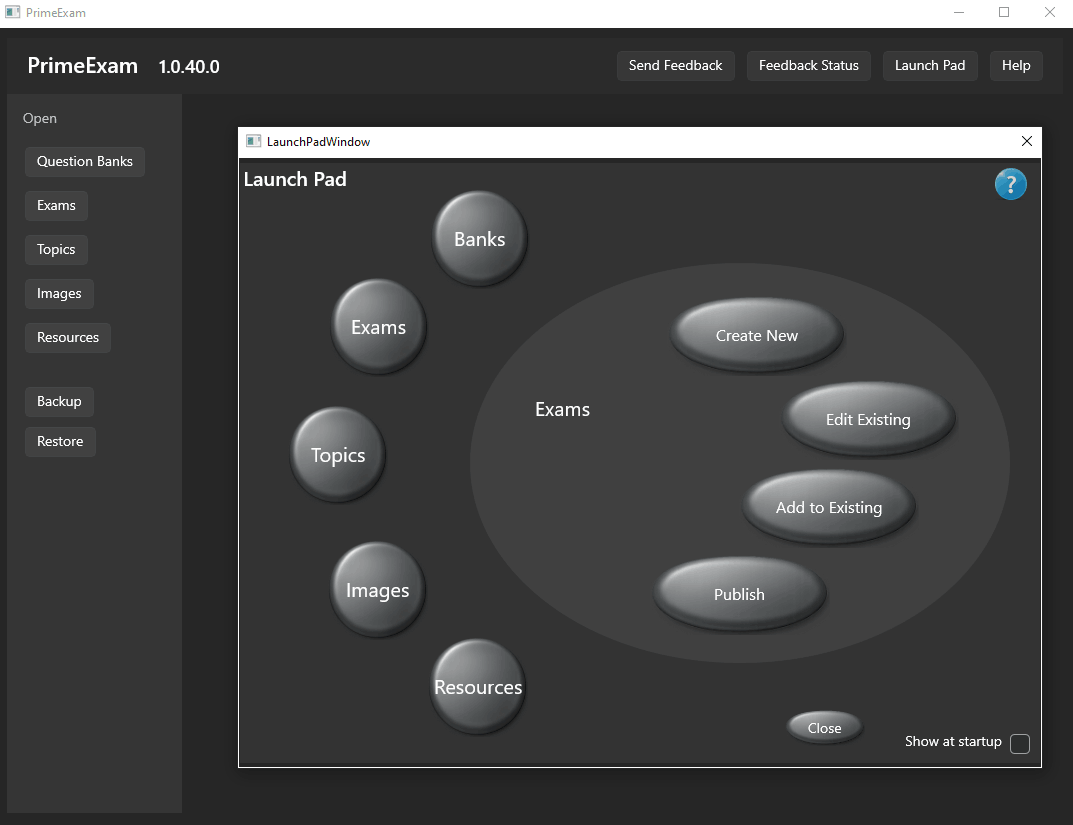
PrimeExam launch pad
The PrimeExam launch pad provides quick access to the application's main tools.
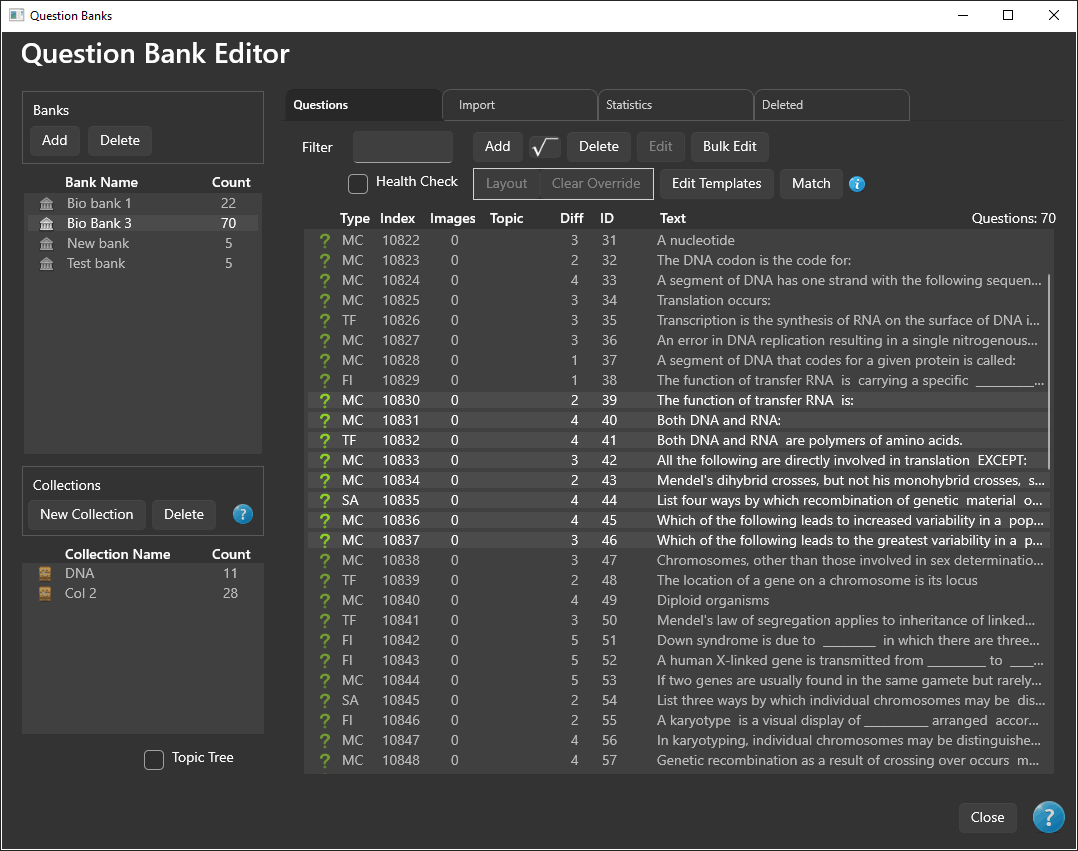
PrimeExam question bank editor
Manage, organize, and work with questions in a reusable question bank.
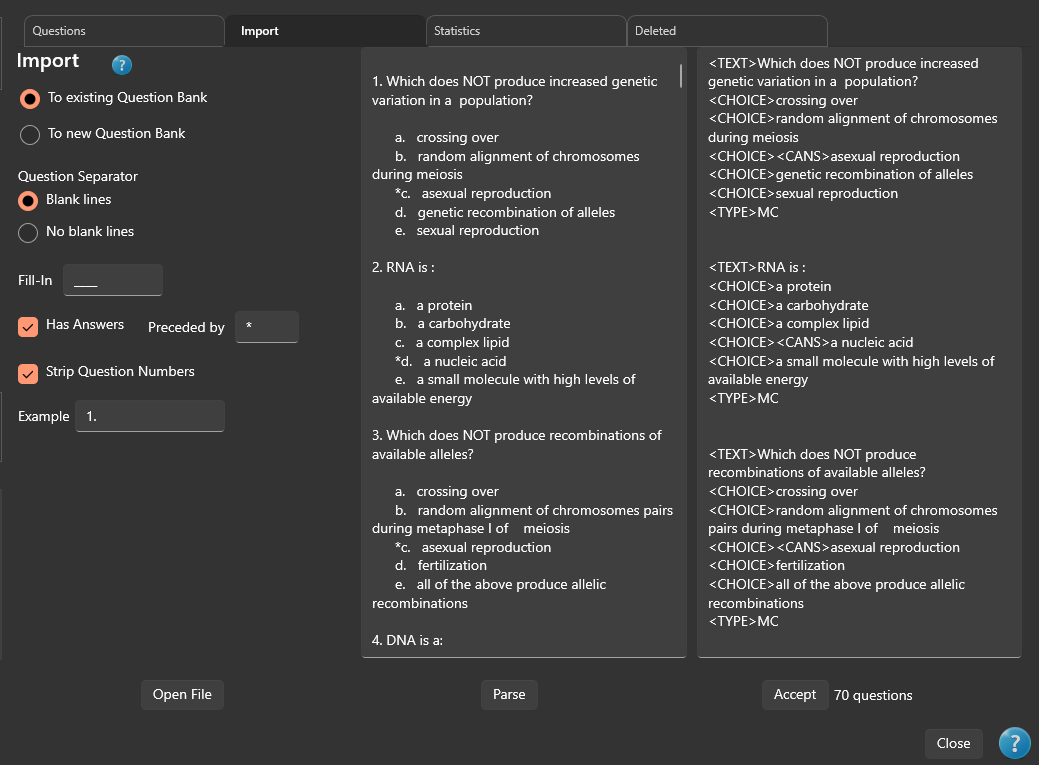
Importing questions into a PrimeExam question bank
Import questions from a text file into a PrimeExam question bank.

Question editing, math, and layout

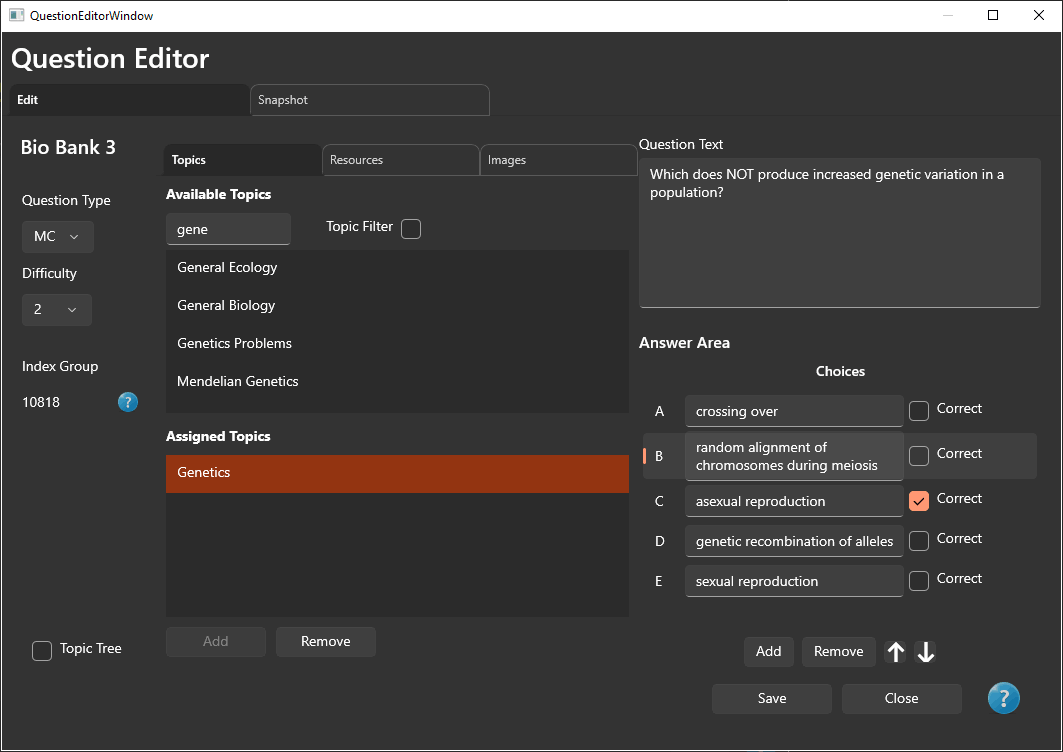
PrimeExam question editor
Create and edit question content, answers, choices, and related information.
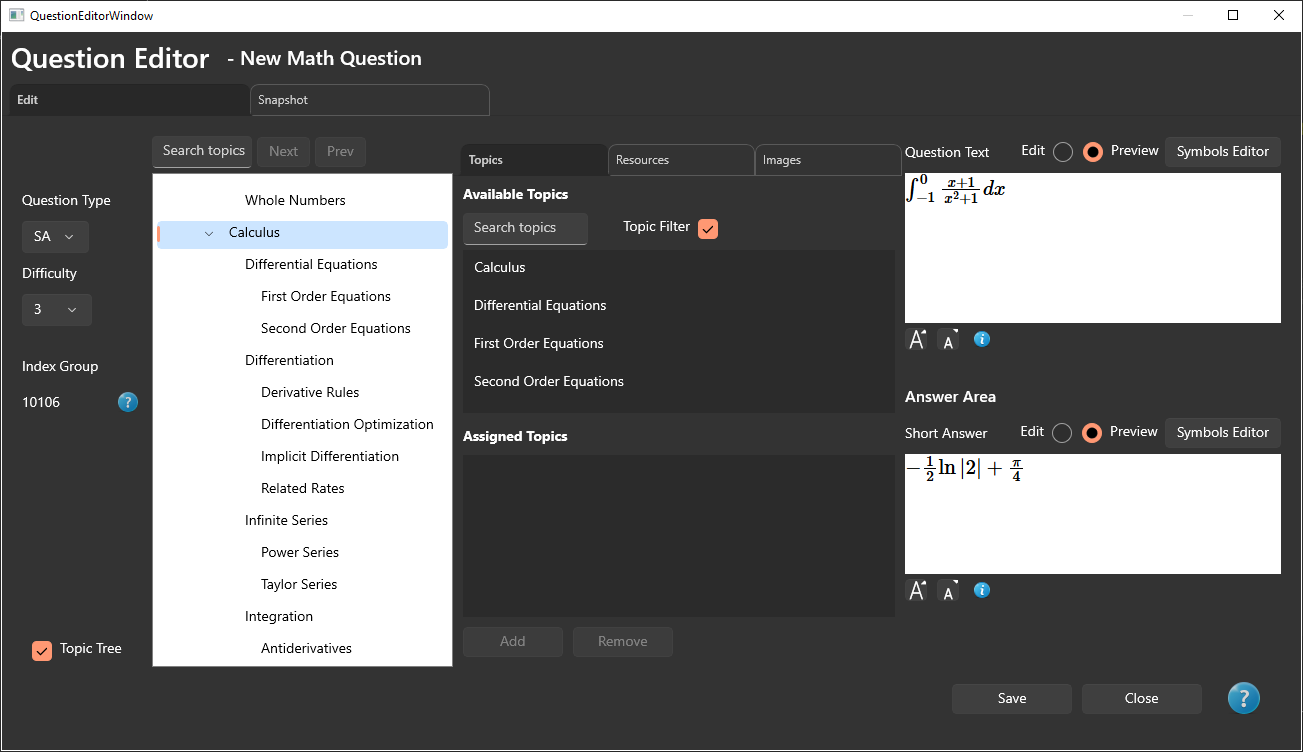
Editing a math question in PrimeExam
Edit questions containing mathematical notation directly from the question editor.
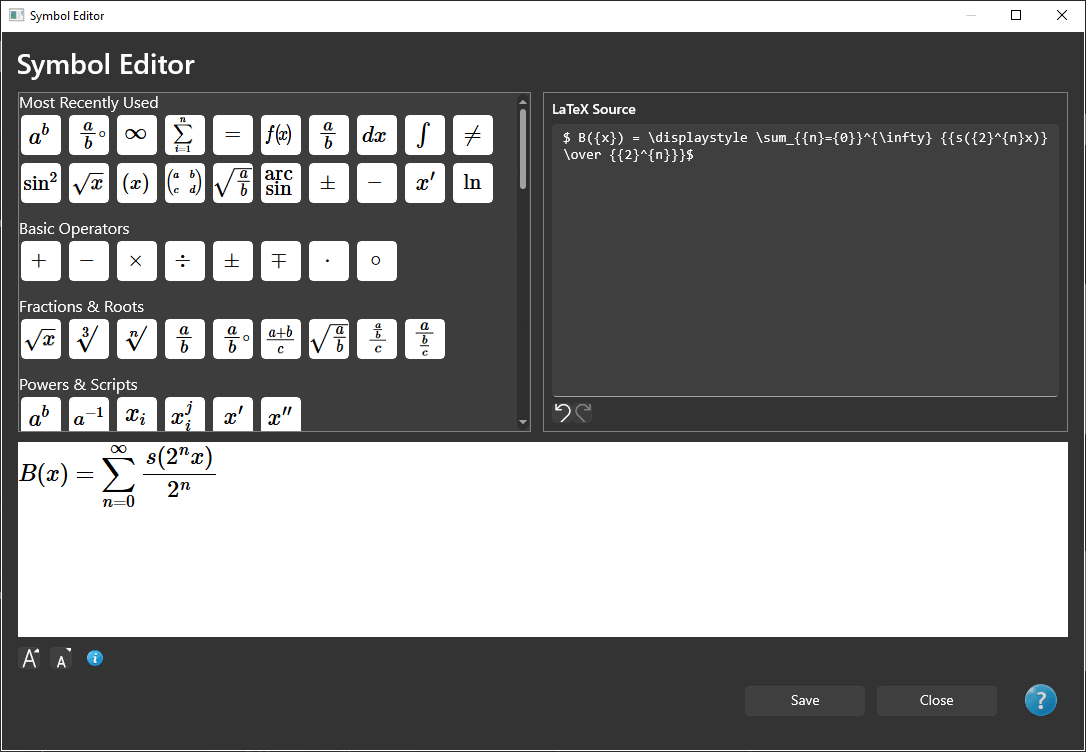
PrimeExam symbol editor with LaTeX preview
Enter LaTeX notation and preview the rendered mathematical expression.
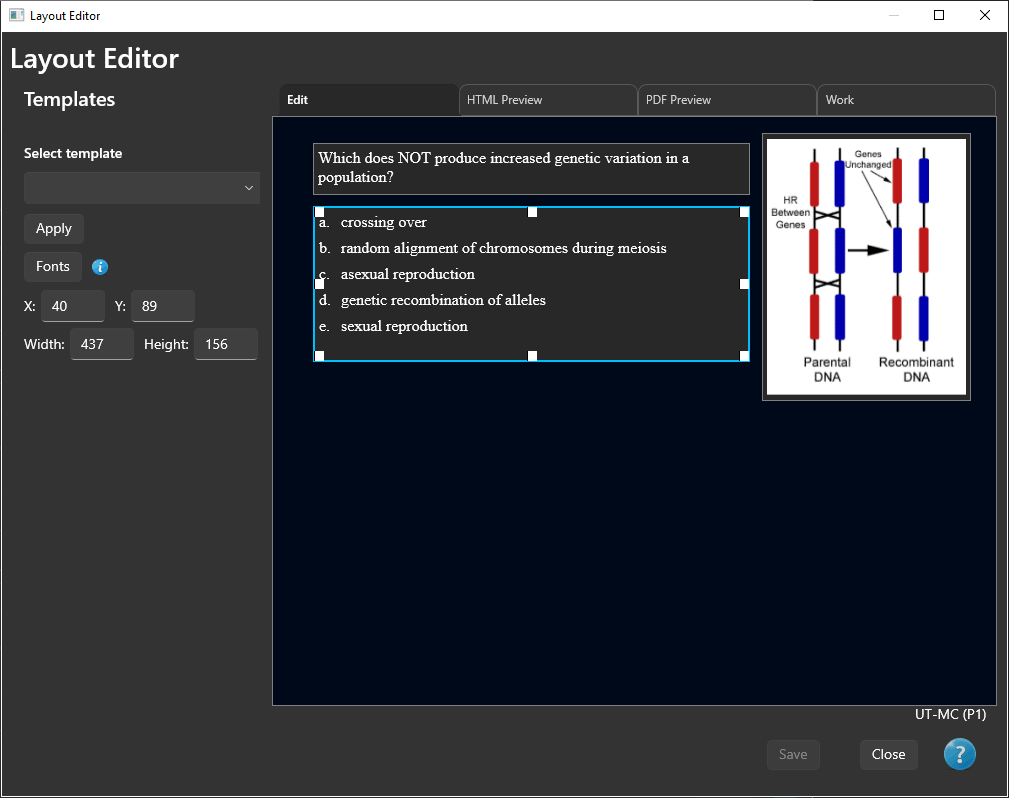
PrimeExam layout editor with a question and image
Arrange question text and images using PrimeExam's visual layout editor.
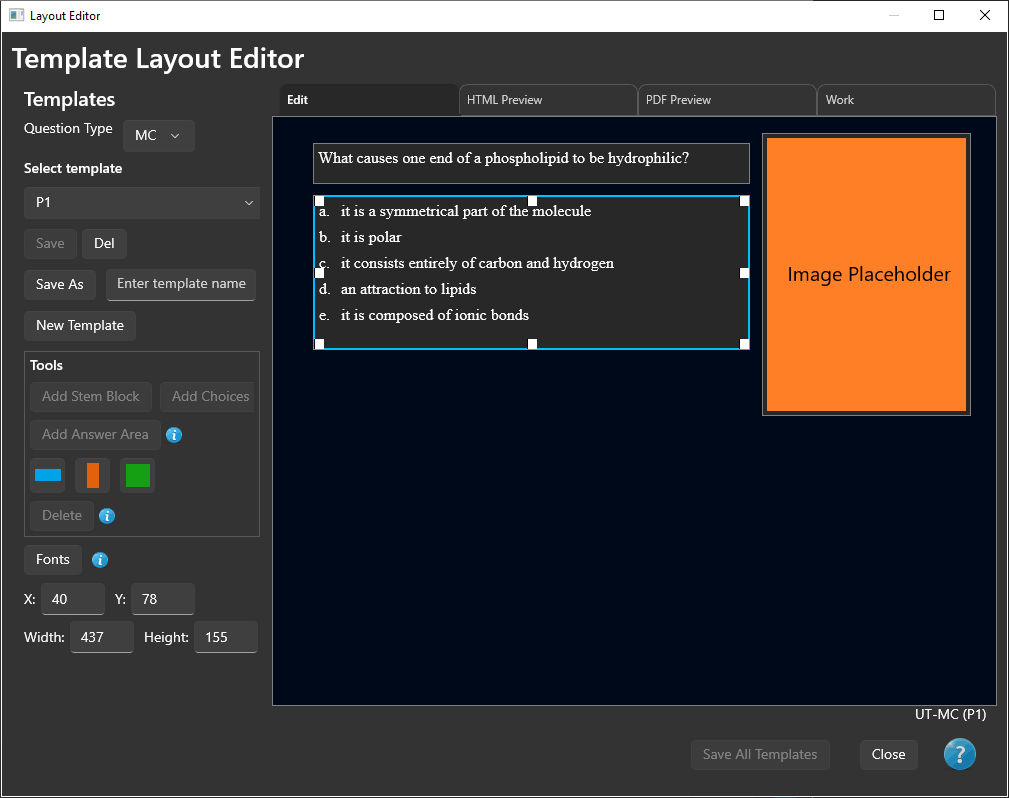
PrimeExam template editor
Create and edit reusable exam layout templates.

Exam creation and publishing

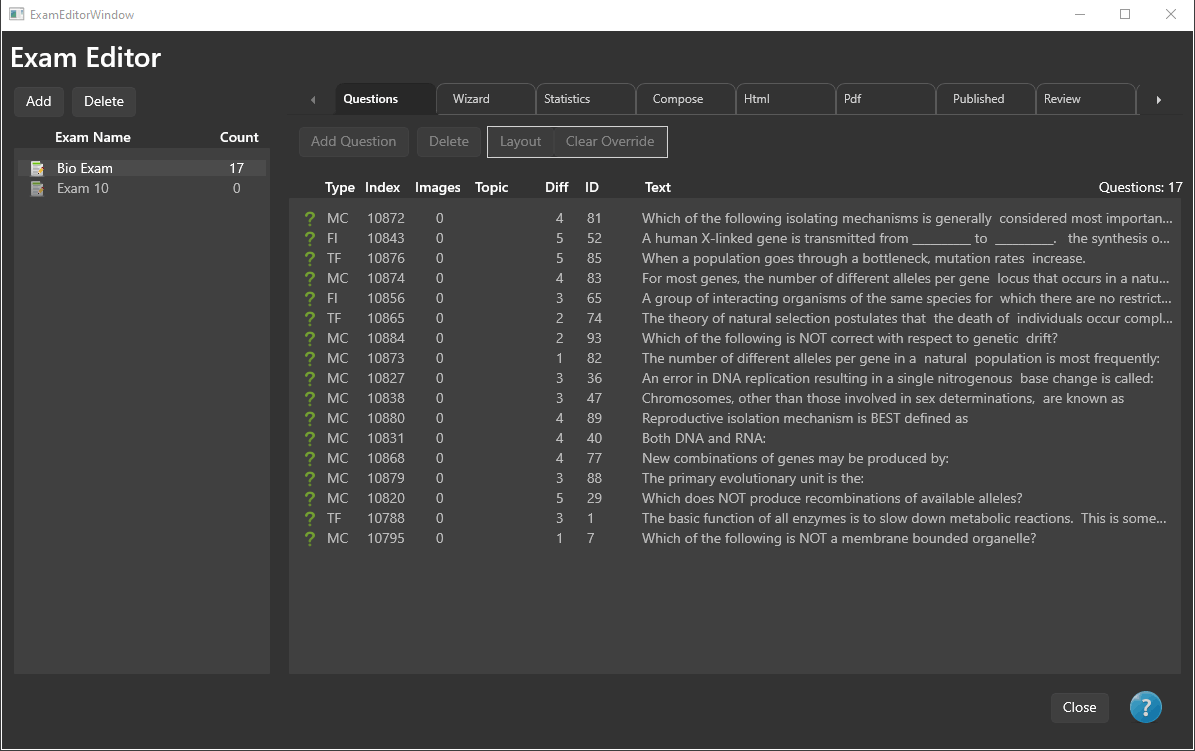
PrimeExam exam editor
Assemble and manage an exam in the main exam editor.
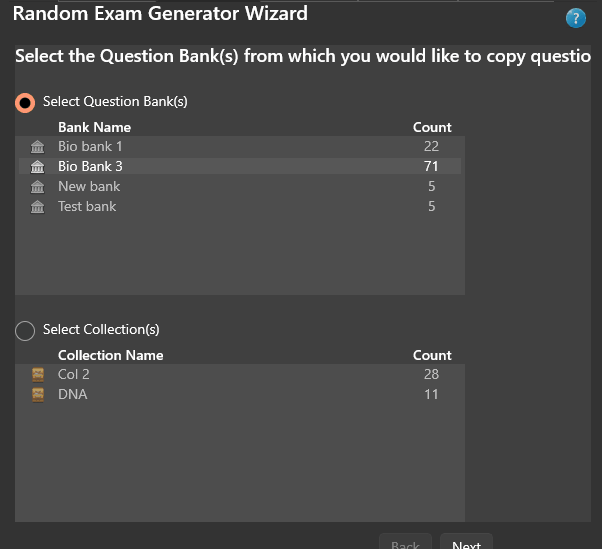
PrimeExam random exam wizard selecting source question banks
Select source question banks when building an exam with the random exam wizard.
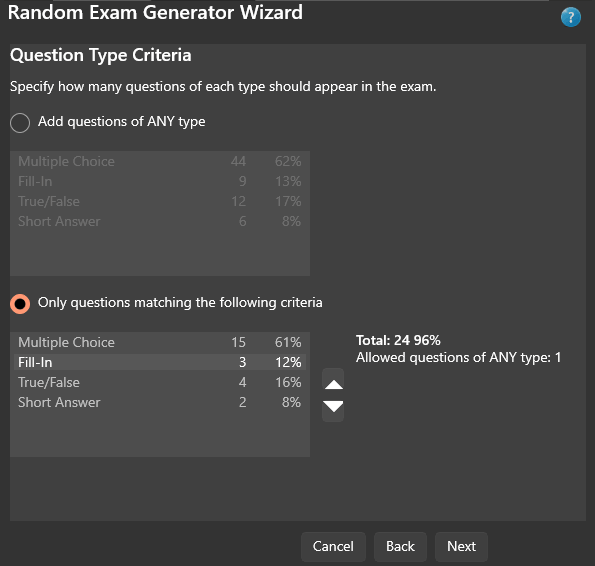
PrimeExam random exam wizard question type criteria
Define question-type criteria for randomized exam generation.
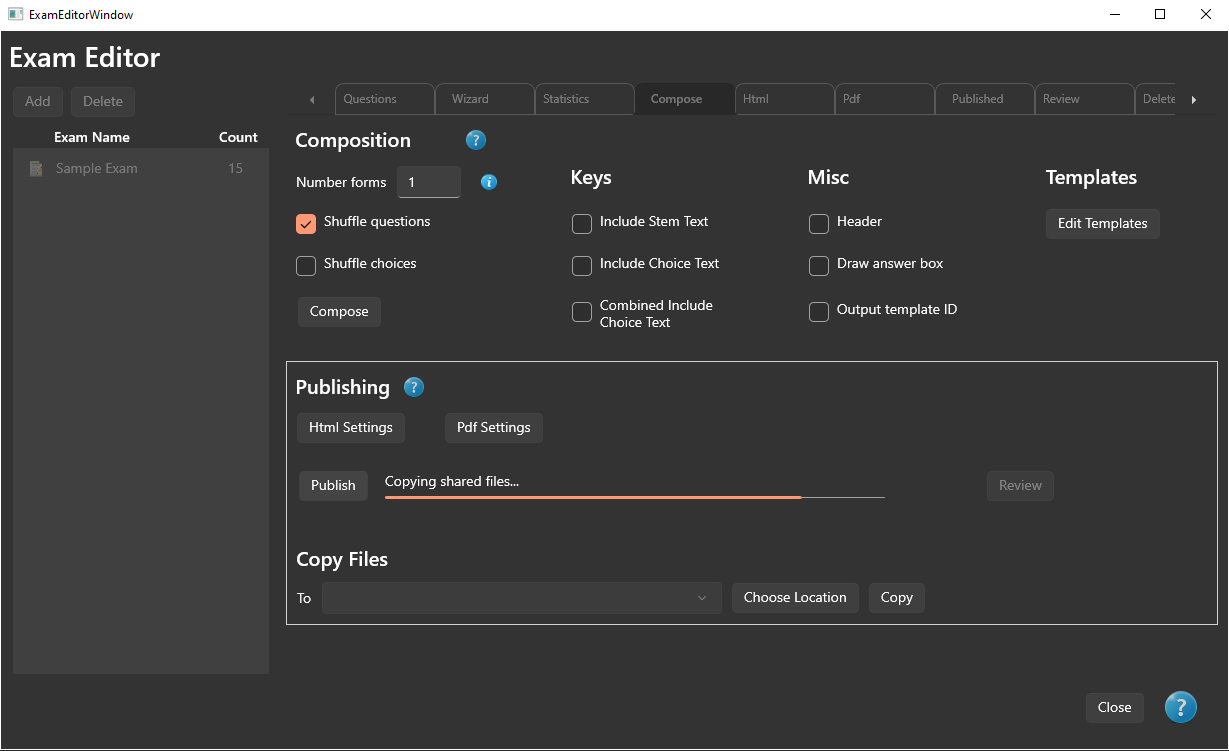
Publishing an exam in PrimeExam
Publish completed exams and multiple forms directly from the exam editor.
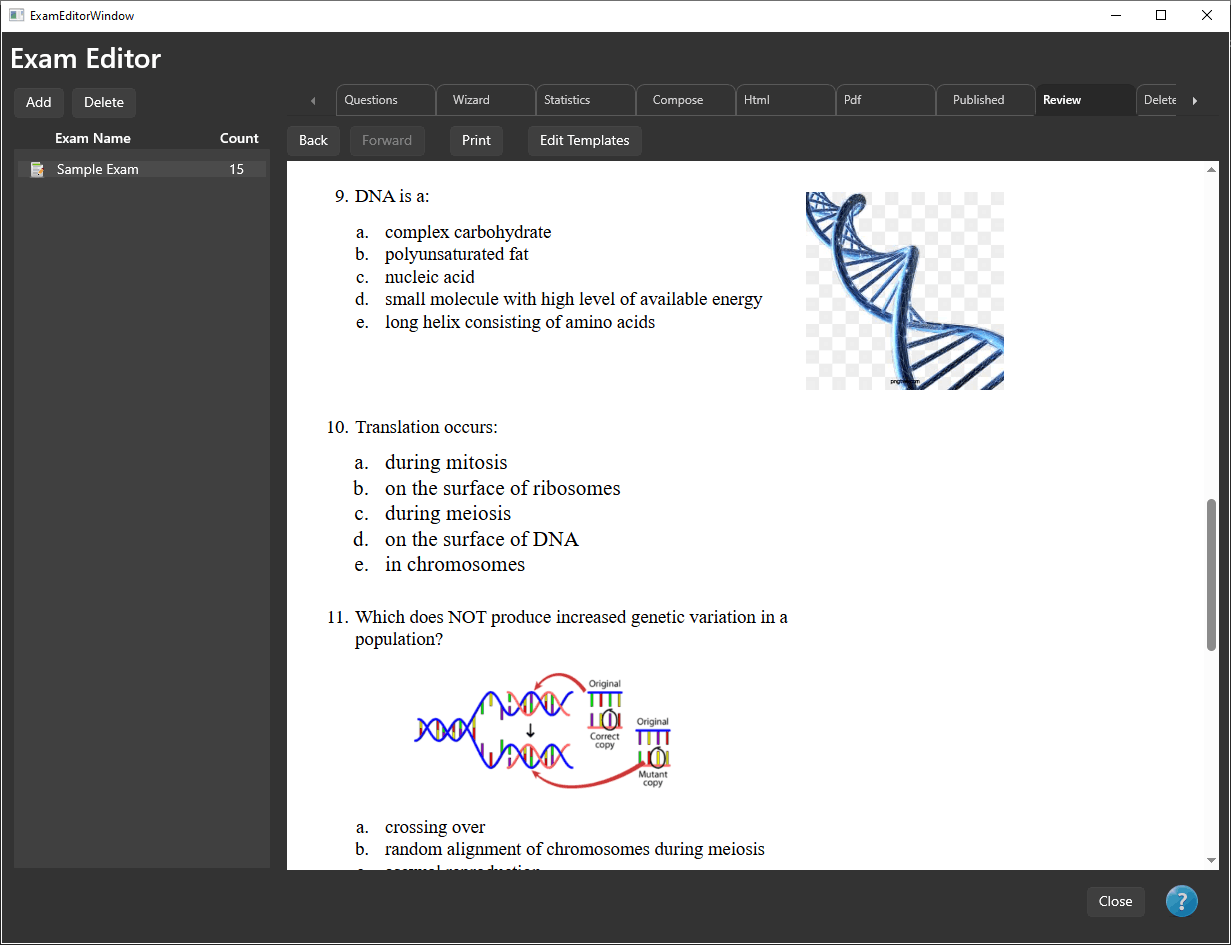
Reviewing published HTML and PDF exams in PrimeExam
Review generated HTML and PDF exam output before distribution.

Images, topics, resources, and backup

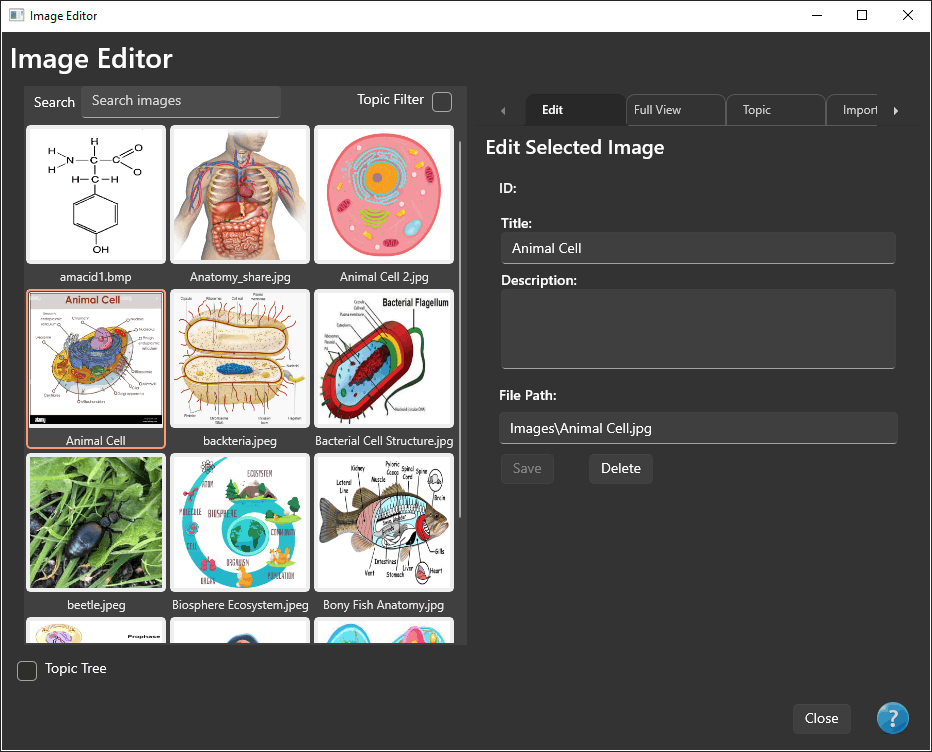
PrimeExam image editor
Manage question images in a visual grid.
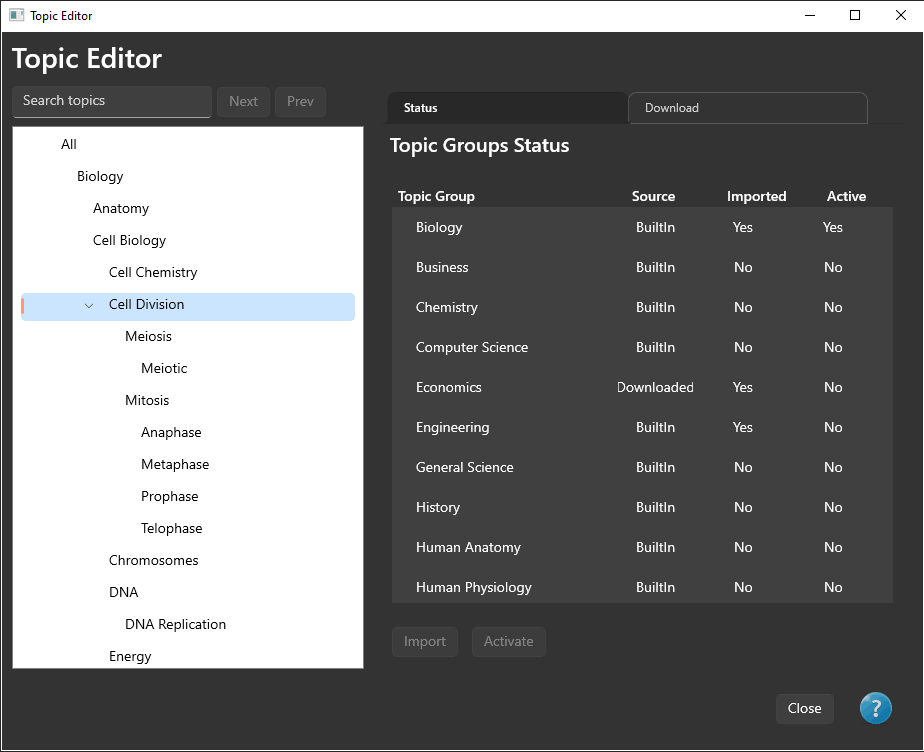
PrimeExam topic editor
Import, activate, and organize topic groups used to classify questions.
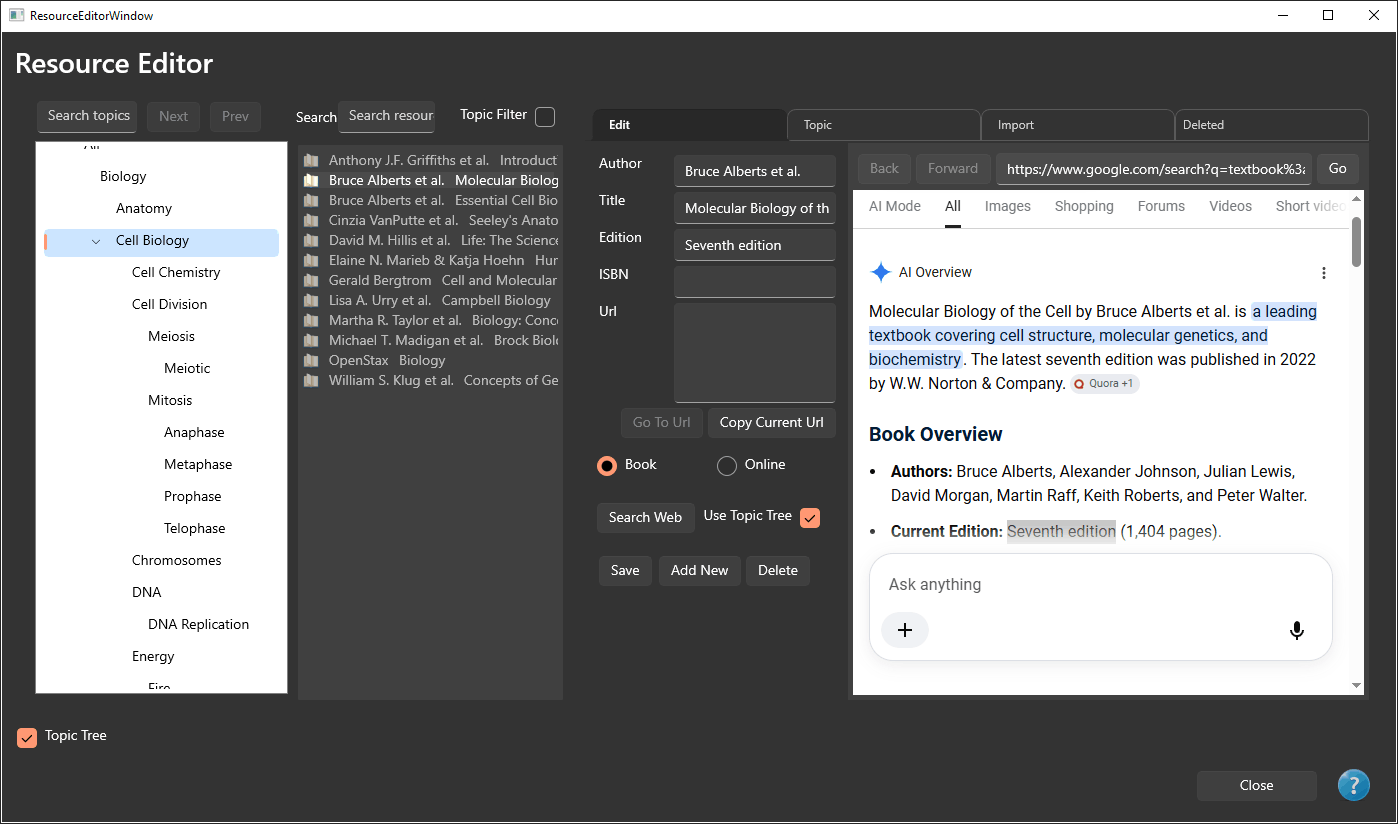
PrimeExam resource editor
Maintain textbook and other resource information associated with questions.
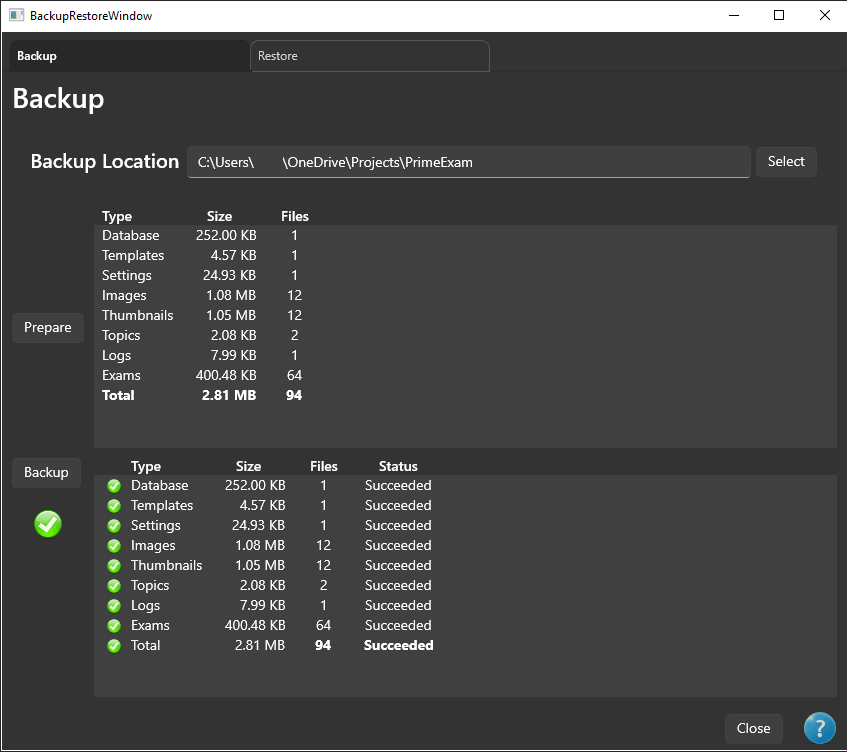
PrimeExam backup and restore window
Back up and restore PrimeExam data, including associated images.

Feedback and suggestions

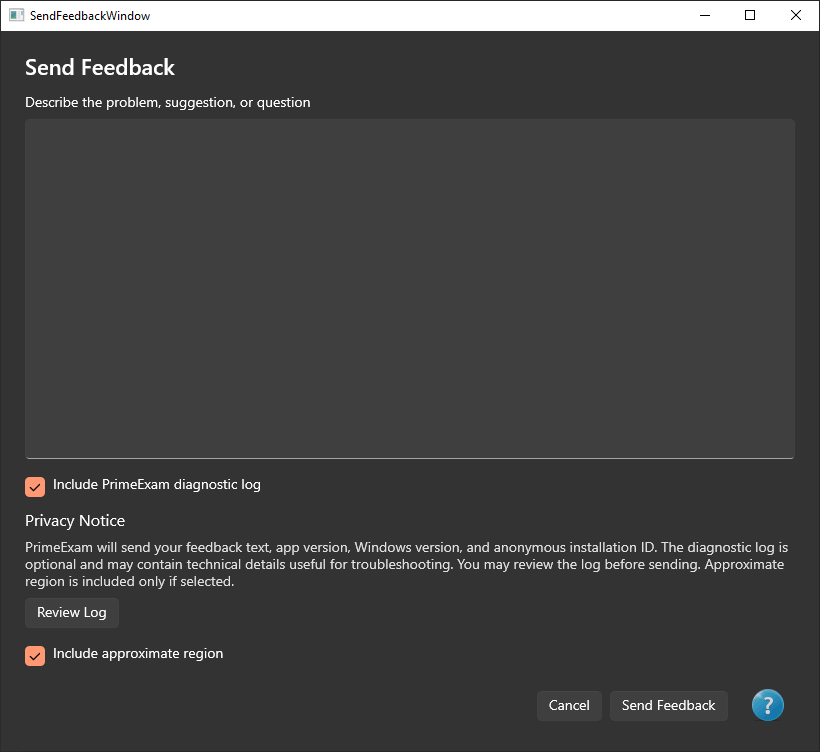
PrimeExam send feedback window
Send feedback to Ensatina Software directly from PrimeExam.
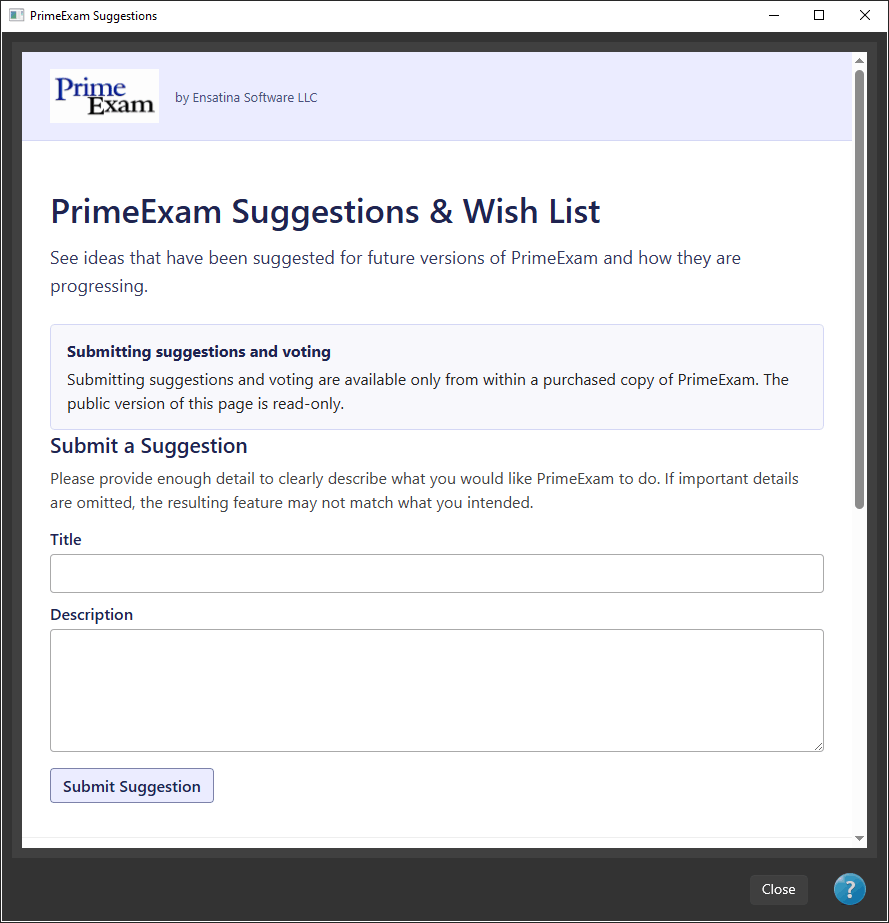
PrimeExam suggestion submission window
Submit feature suggestions and ideas from within the application.
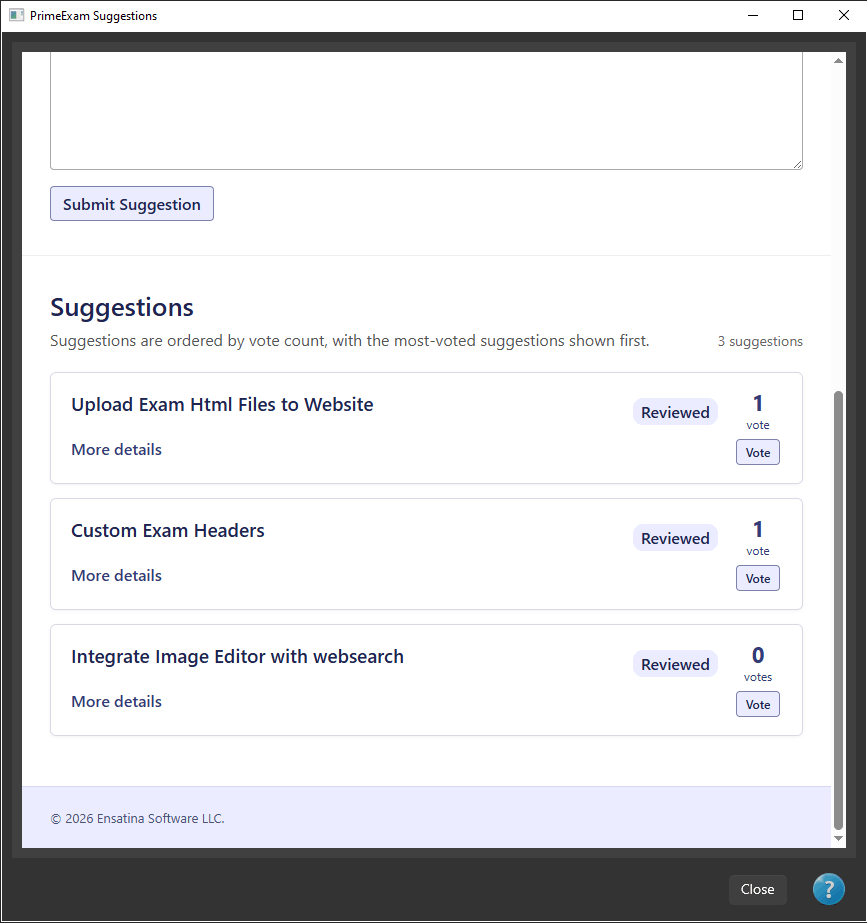
PrimeExam suggestion list with voting controls
Browse community suggestions and vote on ideas you would like to see considered.

A history spanning more than two decades

The original PrimeExam was developed in the early 2000s as an exam-authoring tool for educators. Copies of that historical version can still be found on third-party software archive sites, but the original version is no longer maintained or supported.

Today's PrimeExam is a newly developed Windows application that carries the original concept forward with a modern interface and expanded capabilities.

For a more detailed history of PrimeExam, including the story of its original designer, Dr. Charles Brown, see The History of PrimeExam and Dr. Charles Brown.

Ensatina Software LLC

PrimeExam is developed and published by Ensatina Software LLC.